Turn Your Knowledge Into a Thriving Business.
Record and edit your lessons, publish courses, sell memberships and digital products, and grow with email and automation — all under your brand.
- Free plan available
- No card needed to start
- Your students, your data
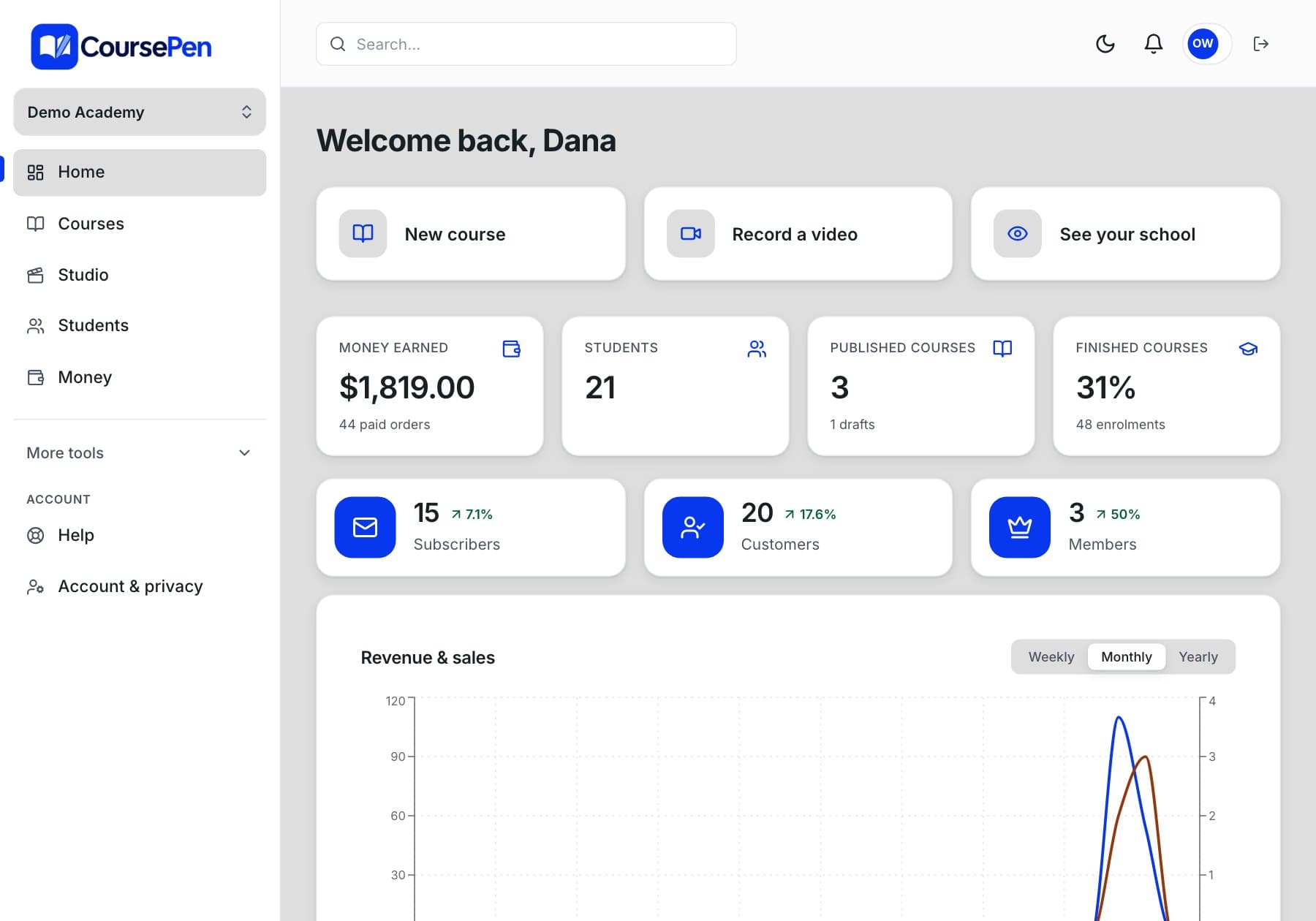
Your dashboard, shown with sample data
Record and edit your lessons right here
A recording studio and video editor built into CoursePen. No separate software, and the finished video goes straight into your lesson.
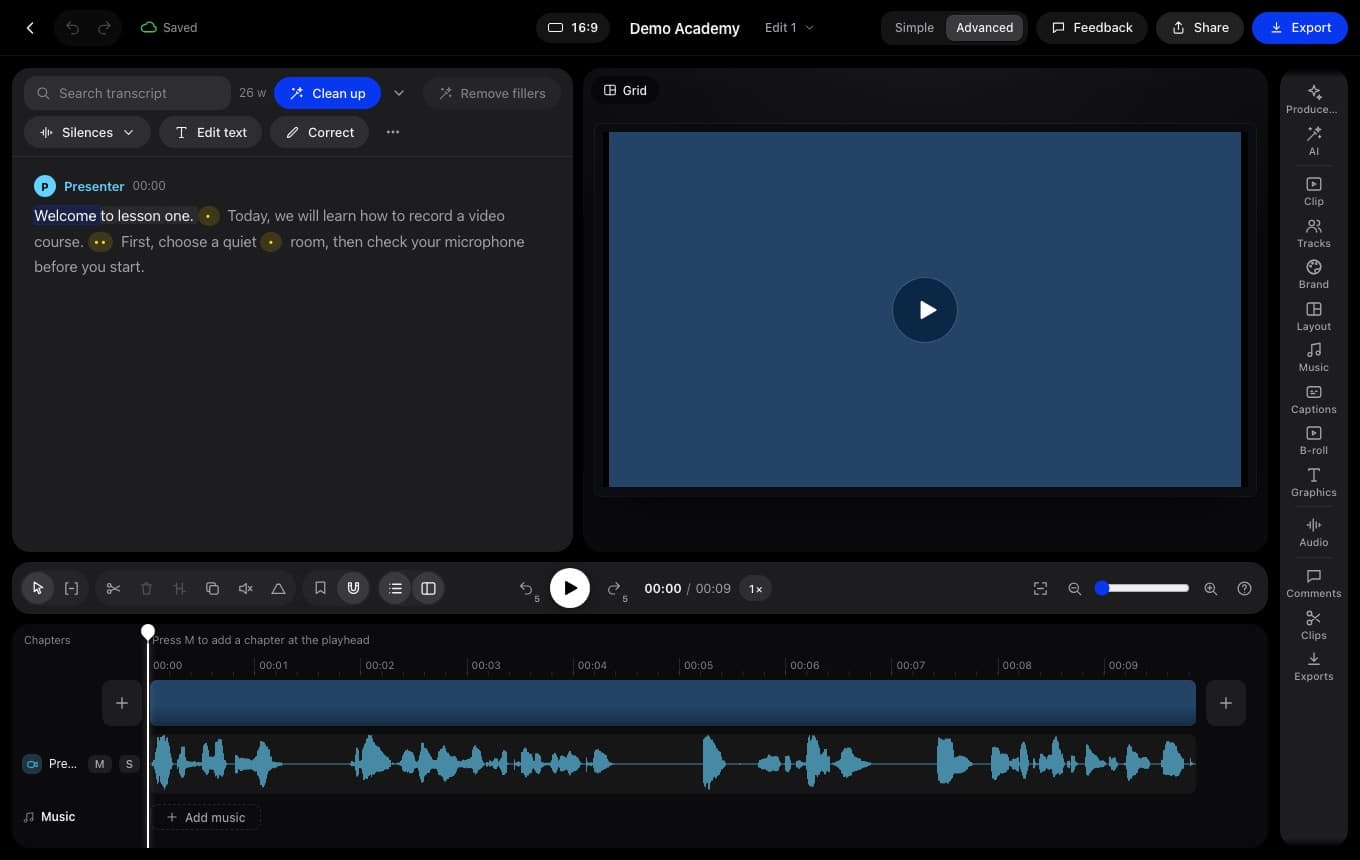
Record
Your camera, your screen or your slides, in the browser.
Edit by text
Delete words from the transcript to cut them from the video.
Finish
Add captions and music, and tidy up mistakes and silences.
Publish
Send it to a lesson with its transcript in one step.
Included in the Professional and Business plans.
The complete platform for the knowledge economy
Stop stitching together course hosts, email tools, website builders and payment links.
Create
Courses & quizzes
Sections, lessons, video, assessments and automatic certificates.
Your own academy site
Branded pages on your subdomain or custom domain — no code.
Digital products
Secure downloads, licence keys and member-only files.
AI Studio
Draft outlines and lessons — you review everything.
Sell
Memberships
Recurring plans that unlock courses, files and communities.
Coaching & booking
Time-zone-aware scheduling with session packages.
Live classes
Webinars with registration, reminders and replays.
Marketplace
Reach new students through a curated catalogue.
Grow
Email & automation
Consent-aware campaigns and visual workflows.
Communities
Discussion spaces with moderation built in.
Real analytics
Revenue, retention and where students drop off.
Team training
Departments, required courses and compliance reports.
See how your students are doing
Who joined, who is learning and who finished, at a glance.
Example with invented sample data, from 6 sample teachers.
240
Students
6
Courses
1,273
Lessons completed
135
Certificates
- 37
- 29
- 40
- 39
- 62
- 99
- Completed44%
- In progress37%
- Not started19%
- Business115
- Education & Teaching56
- Creative Arts52
- Technology42
- Personal Development41
Build a complete course in an afternoon
Organise sections and lessons, add video, files, quizzes and assignments, preview as a student, then publish. Drafts autosave and every published version is kept.
- Quizzes with automatic grading
- Assignments and a gradebook
- Certificates with public verification

A professional academy site, without a designer
Start from a template, arrange ready-made blocks, preview on desktop, tablet and phone, and publish to your own address.
- Course grids, pricing, FAQs and forms
- Blog and SEO settings
- Custom domains with verification

Follow up with every student, automatically
Welcome new buyers, nudge inactive learners and recover abandoned checkouts with workflows that respect consent and unsubscribes.
- Triggers for purchases, progress and tags
- Delays, conditions and retries
- Affiliate programs and sales funnels

Launch in three steps
- 1
Create your academy
Pick a name, address and brand colour. It takes about two minutes.
- 2
Publish your first course
Use the course builder — or let AI draft an outline you can edit.
- 3
Sell and grow
Connect payments, share your link and watch your analytics.

Start free. Grow when you're ready.
Free to begin, with paid plans when you need more.
Frequently asked questions
Do I need to code?
No. Your academy, courses and pages are built with visual tools.
Can I use my own domain?
Yes. Every academy gets a CoursePen address, and custom domains are available on eligible plans.
How do I get paid?
Payments are processed by established providers and you never handle card data. Provider availability varies by country.
Is AI content published automatically?
Never. AI output is a draft that you review, edit and approve.
What happens to my students' data?
You can export it, delete it, and students can download or erase their own data. See our privacy policy.
Ready to build your academy?
Create your free account and publish your first course today.